
Procedure – access Remote Desktop Server (RDP)
Written by: Chris O’Sullivan, ICT Manager, August 2016
The following procedure demonstrates how to access RDP on CYH system.
- Download the attached ‘CYH.rdp’ Remote Desktop icon. If you can, click on ‘Save As’ and save to your desktop.
- Double click on the downloaded CYH file.
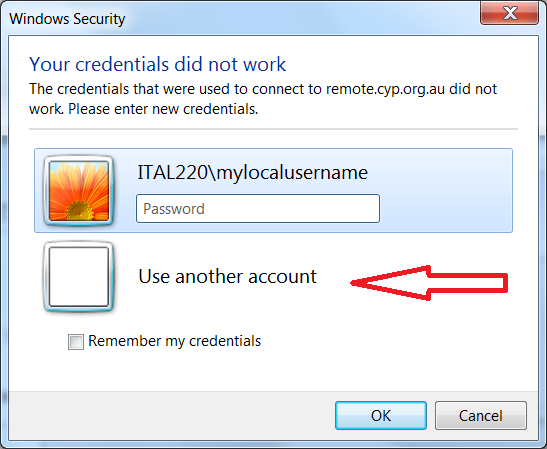
- Check the username: you may need to change the domain\username.
- Do this by clicking on “User another account”
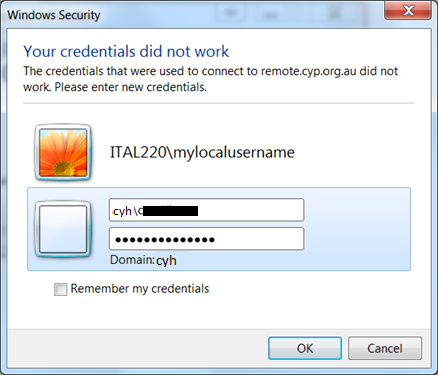
- Then typing in the username starting with "CYH\" and password (normal computer password)
- Accept any warnings, certificate etc
- Happy working