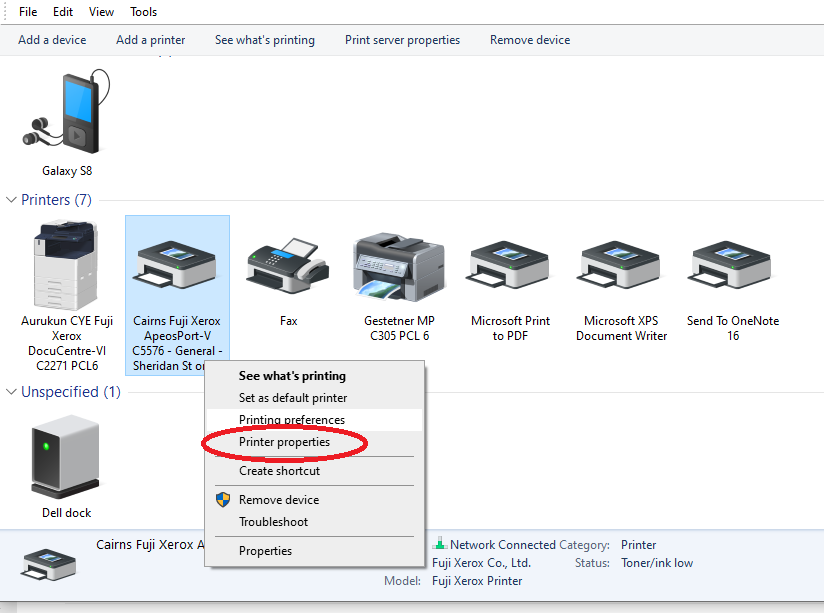
Right click on the printer Cairns Fuji Xerox
> left click Printer Properties
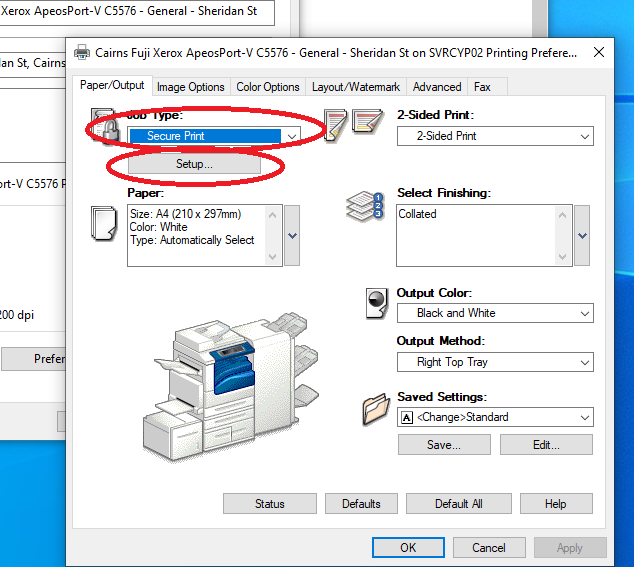
> click on the Preferences button
> in Job Type select “Secure Print”
> Select Setup
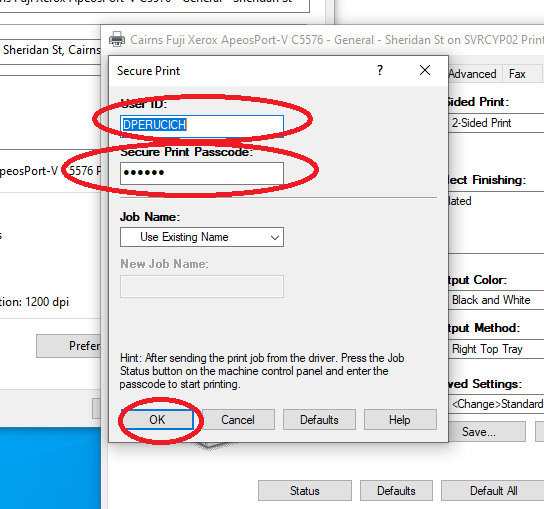
Type in your User ID e.g. PDOUGALL and your secure password numbers you will use to access the secure print jobs
Select OK
Select Ok
When printing a job select the “Secure Print” option in the properties of the print job.
See below for reference.