
This error can be resolved by changing one of the Adobe PDF printer settings.
- When you are in the print dialog, and you have selected the appropriate PDF printer, select "Properties."
- In the dialog box, there should be a tab titled "Adobe PDF Settings," and it should look like the below image.
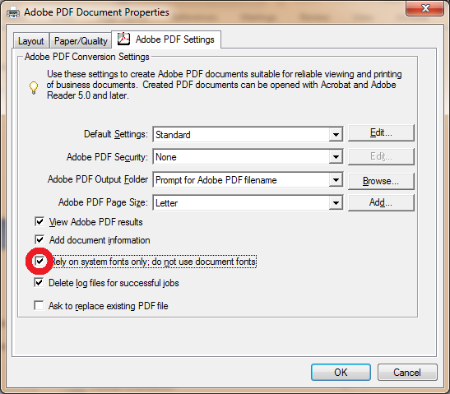
- Un-check "Rely on system fonts only; do not use document fonts."
Click OK,then quit & relaunch the application.