To change the file limit in the Bulk Document importer follow these steps..
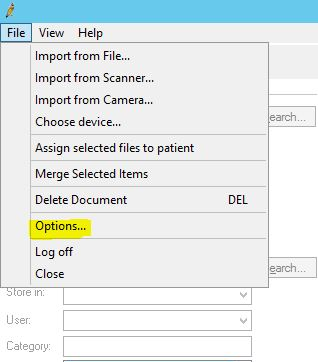
- After logging into the BDI (Bulk Document Importer) click on the file menu and then click on options as highlighted in the first screenshot below.
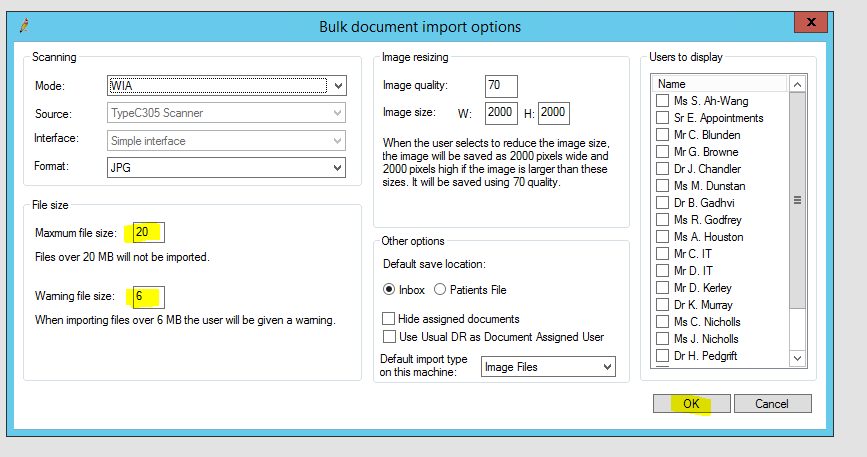
- When in options, search for the “Maximum File Size” option and increase it to 20mb
- While still in options, search for the “Warning File Size” option and increase this to 6mb.
- Click “OK”
- It’s now possible to upload files up to 20mb going forward. Once the max file size is changed, it will remain this way each time you close and re-open BDI.
Below are some screenshots for guidance..