
Changing Your Default Printer
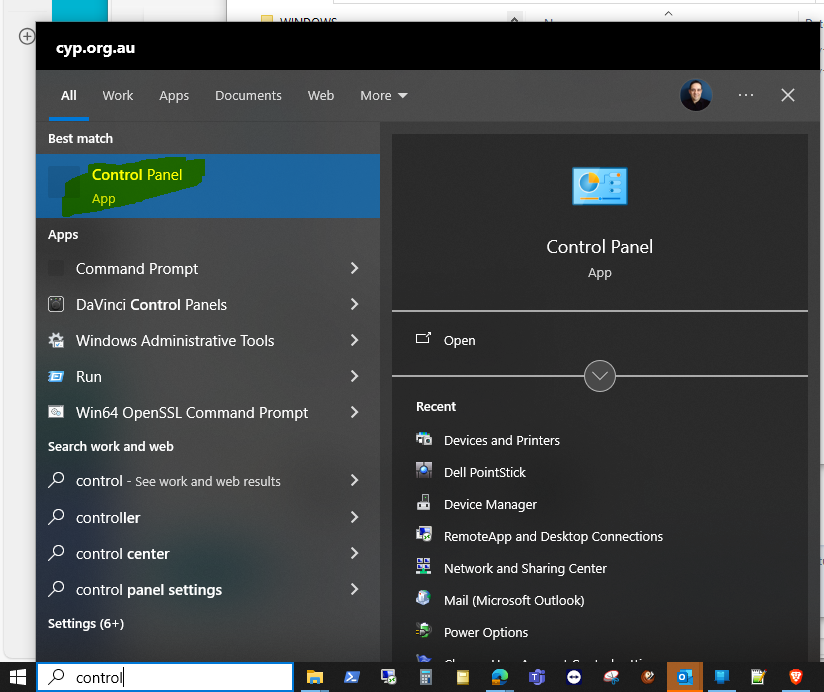
- Open Control Panel
- Click on the Start button, type Control Panel, and open it.
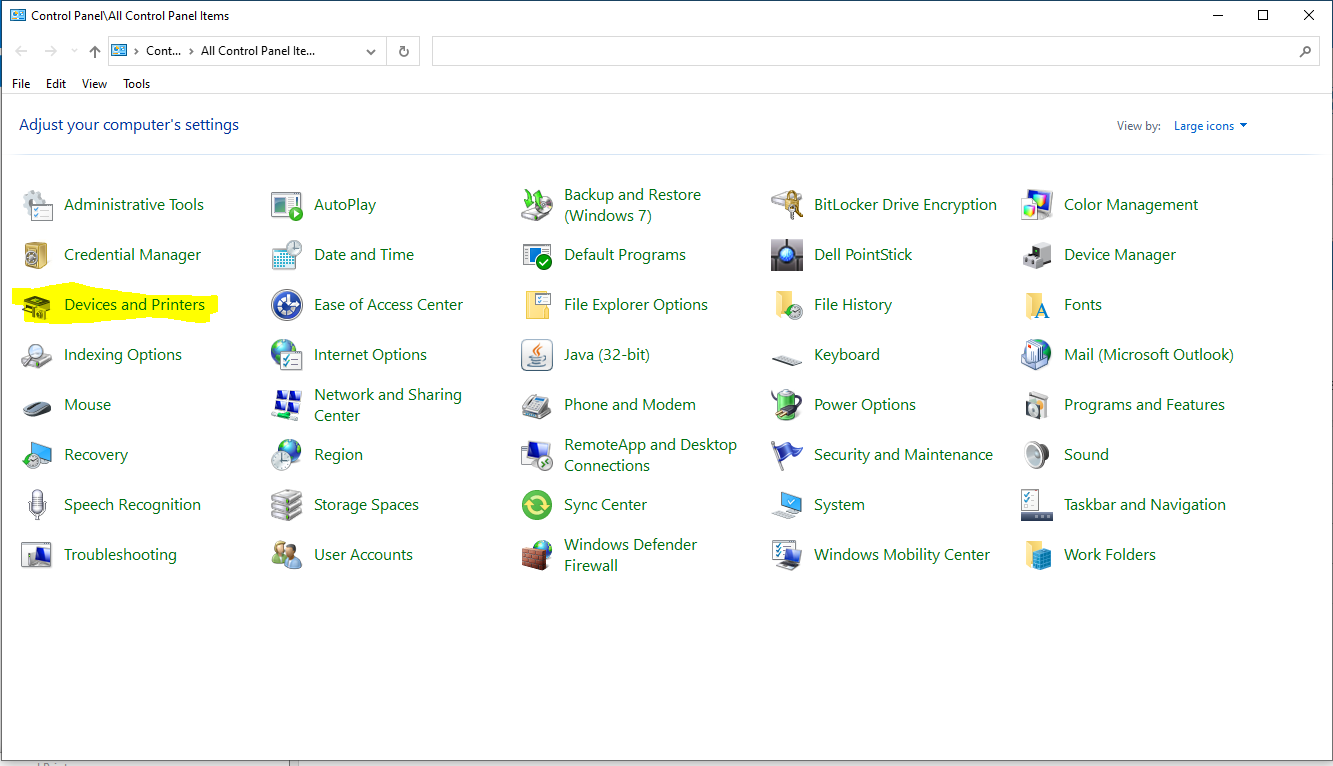
- Go to Devices and Printers
- In the Control Panel, find and click on Devices and Printers.
- Change Default Printer
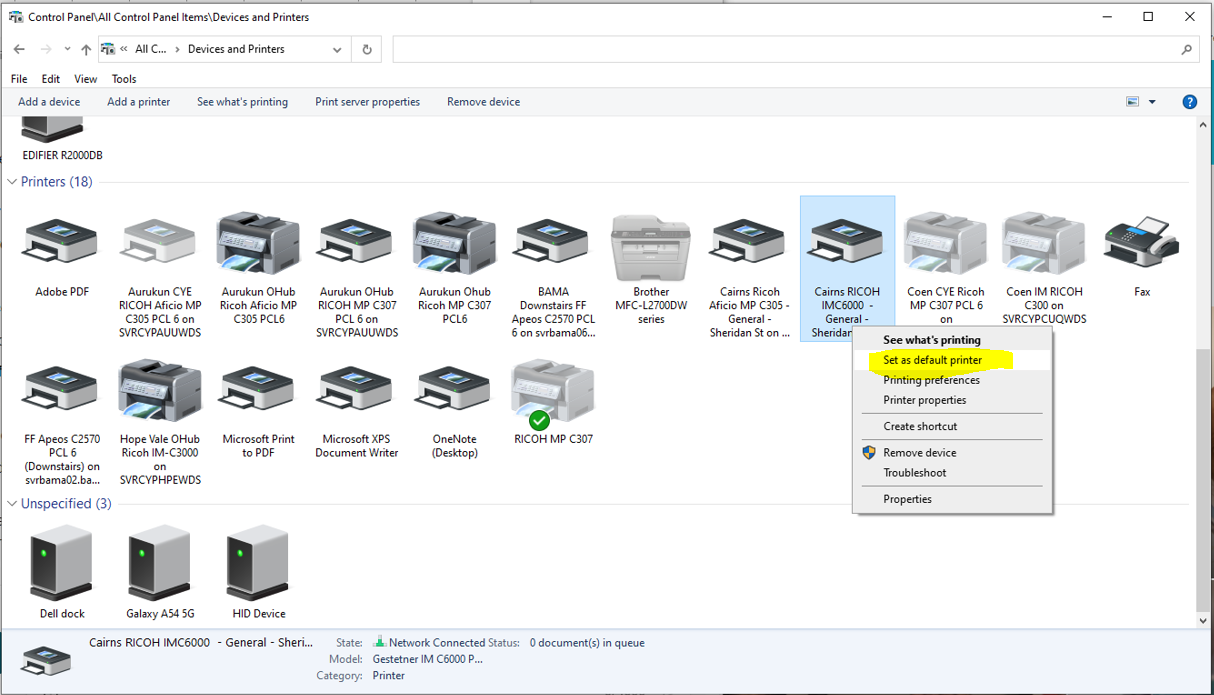
- Find the Printer you want to set as default (This should be either the Ricoh IMC6000 at the front of the office, or the Ricoh MP C307 which is the Finance Printer.
- Right-click on the printer and select Set as default printer.
This should now resolve the issue, please note that if you require the MP C307 as the default printer, that you do change it as the current default printer is not working.
If you have any issues setting this yourself, please don’t hesitate to email itsupport@cyp.org.au, and we will assist you in changing the default printer for you, note there may be minor delays.