I’ve created shortcuts on the desktop called “shortcuts” on “SVRCYP08”, “SVRCYH01” and “SVRBAMA07”. There you will find “applocker settings.msc” this is a quick shortcut to the settings for applocker where rules can be added and changed, a good video for reference about changing the rules is here - How to "Virus-Proof" Your Computer With Windows AppLocker (Ultimate Guide) (youtube.com).
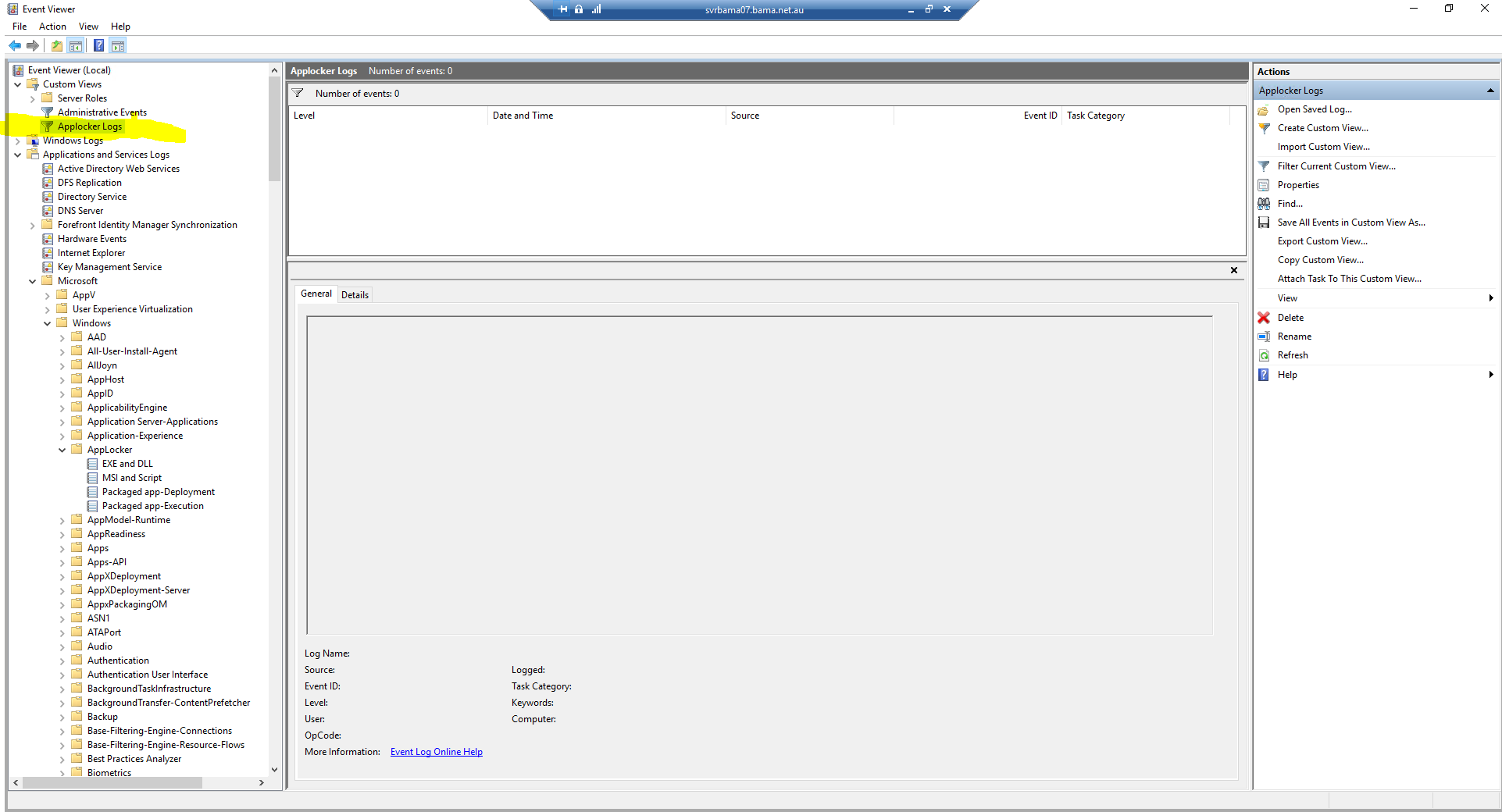
I’ve also created a custom view in event viewer called “Applocker Logs” this is very useful for finding any attempts to installing apps and checking if there are any we should be considering to allow across all domains.
A screen shot is below on where to find this log.
Aside from this here are the original paths to the applocker settings and logs if required..
Settings
*Edit GPO for Applocker* > Computer Configuration > Policies > Windows Settings > Security Settings > Application Control Policies > Applocker
Logs
*Event Viewer* > Application and Services Logs > Microsoft > Windows > Applocker