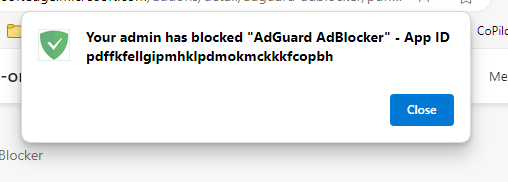
The “Microsoft Edge Hardening” GPO which will be enabled soon, requires that all browser extensions are blocked according to Right Fit for Risk.
There is however a setting where apps can be added to a white list. The setting is called “Allow Specific extensions to be installed”. Below is the location of the setting within the gpo..
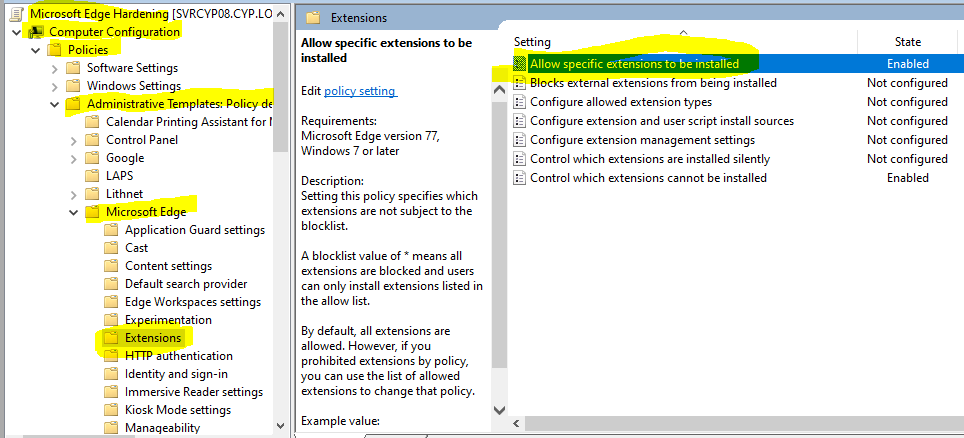
The setting requires the Application ID, to find this, try and install the app in Edge, the gpo will block the extension but will display an App ID. The procedure going forward should be request from the user the App ID, then if we approve of the extension, it is then added by IT to the above GPO.