
MY PROBLEM IS SOLVED … I’m posting the problem and it’s solution for those who WILL run into this soon…I pulled my hair out for a couple hours today before finding the fix.
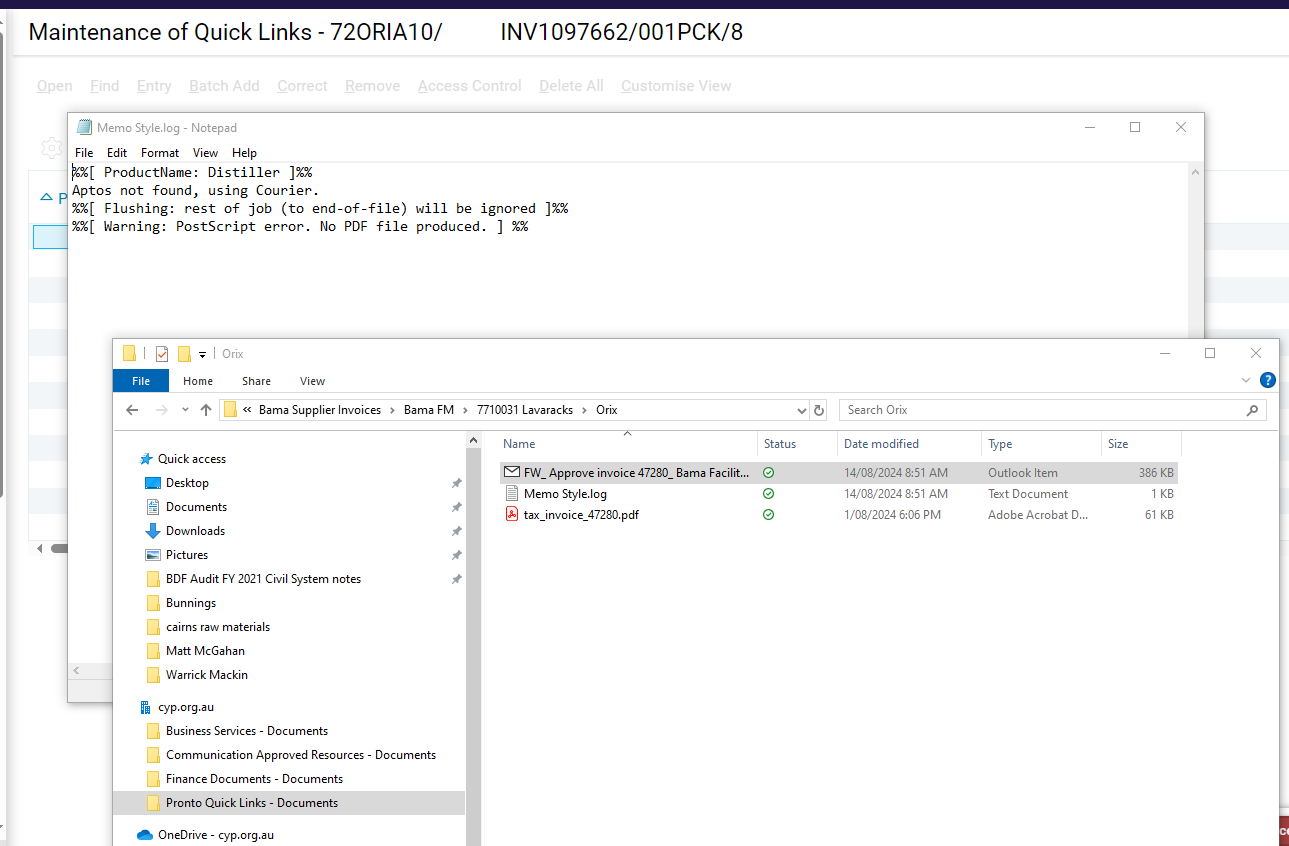
Attempting to Print new documents to Adobe PDF today started failing, with Notepad opening a log file with content as follows:
%%[ ProductName: Distiller ]%%
Aptos not found, using Courier.
%%[ Error: invalidfont; OffendingCommand: xshow ]%%

Stack:
[39 49 79 0]
()

%%[ Flushing: rest of job (to end-of-file) will be ignored ]%%
%%[ Warning: PostScript error. No PDF file produced. ] %%
Turns out, Aptos is Microsoft’s new Default Font in Microsoft 365, and Adobe Acrobat apparently doesn’t know what to do with it.
The fix? Go into the Printer Properties for your Adobe PDF printer, and on the Adobe PDF Settings tab, UNCHECK “Rely on system fonts only; do not use document fonts”.
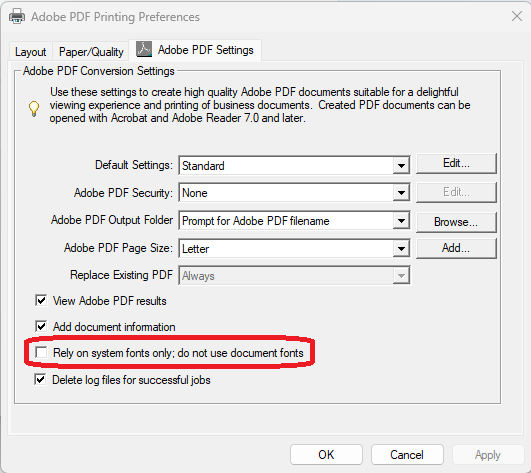
I found this solution here (originally posted in 2016 because of a different font issue) thanks to someone else noting that it fixed their Aptos related problem.
https://community.adobe.com – 2 May 16PDF not created error msg=%%[ ProductName: Distiller ]%% X3E7FDE4B not found,... 119
Why can't I create pdf any more
Of interest…even selecting Microsoft Print to PDF as my printer was yielding the same log file. I can only assume that it uses distiller on my system since Adobe is installed.