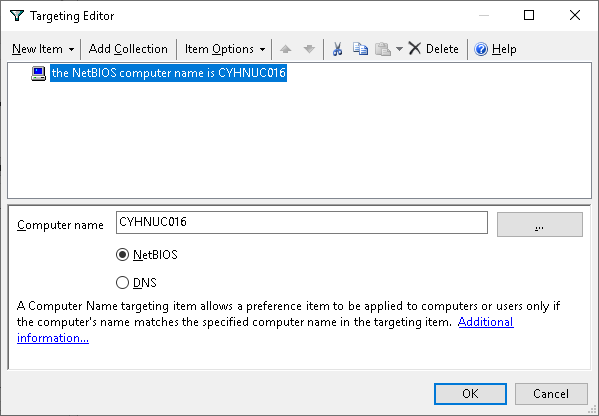
Refer to this article if you have replaced a NUC or changed printer name around, or moved printers around.
The goal is to have an environment where any Doctor or Nurse can log into any of the Doctor/Nurse/Treatment rooms and they print to that room's printer.
The general setup is as follows:
- Dedicated printer in each room
- Dedicated NUC in each room
- The appropriate printer is configured as default on the NUC in the same room via GPO.
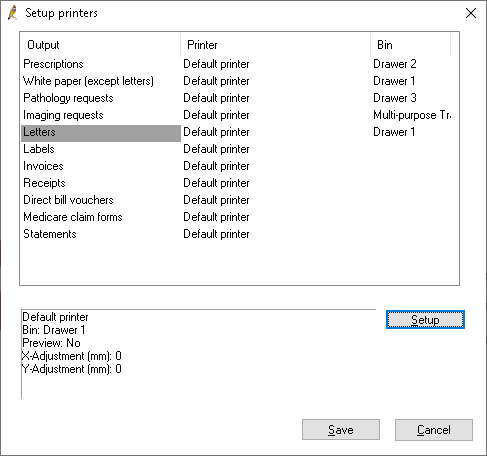
- BP configured with Printer = 'Default Printer' and the trays configured appropriately.
BP -> Setup -> Printers configured as follows:
GPOs
GPO 'Disable Windows Default Printer management' configured to turn off Windows management of default printers .
GPO 'Install Ngak Min Printer' configured to conditionally set the matching printers as default for each room:
CYHNUC011 - Nurse 1 Printer
CYHNUC016 - Nurse 2 Printer
CYHNUC013 - Doctors
CYHNYC014 - Treatment Rm.
Changes
If a NUC was swapped out of eg Nurse 2 room, or some other changes where NUC/Printer relationship was different to above table:
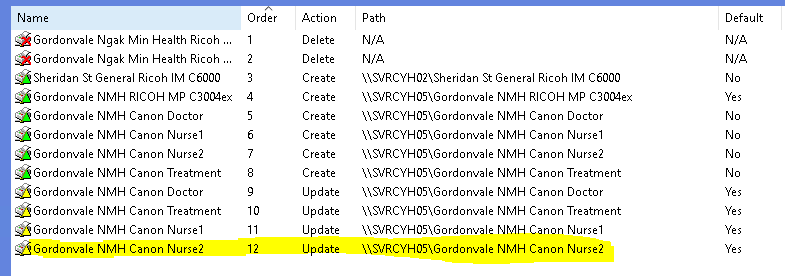
- Edit the 'Install Ngak Min Printers' GPO
- Click on the 'Order' column to sort ascending
- Select the printer with the update action (which will be towards to bottom - it is important the order of 'update' runs after 'create' actions).
4. Click on Common tab
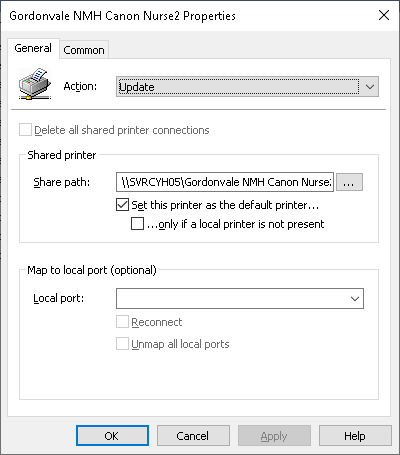
5. Click on Targeting button
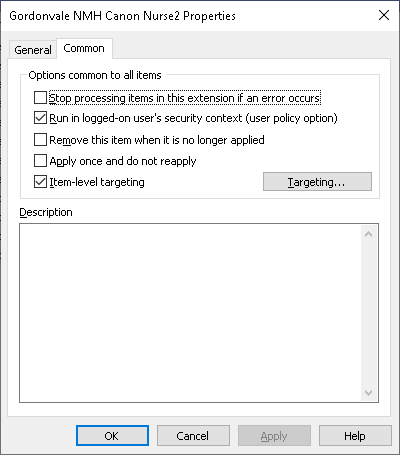
6. Change the Computer name to the new name.