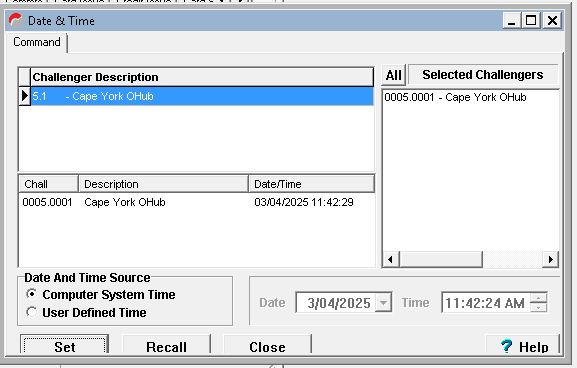
Go to "Control" > "Date & Time"
Double Click on "5.1 -Cape York Ohub" it should appear under "Selected Challengers"
Check that "Computer System Time" is selected under Data and Time Source.
Click on "Recall" then click on "Set"
This should update the time on the controller in the comms room.