
How to fix Links to Videos in Outlook adding an embedded video
This guide will show how to fix the issue where Videos shared from SharePoint add into emails as Embedded Videos instead of Links (see below example).
This issue is most common in the Online and New versions of Outlook
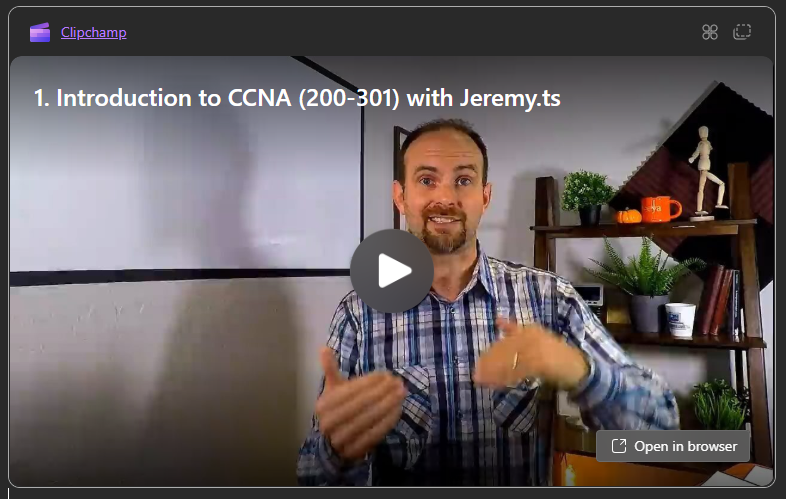
Steps to fix this behaviour:
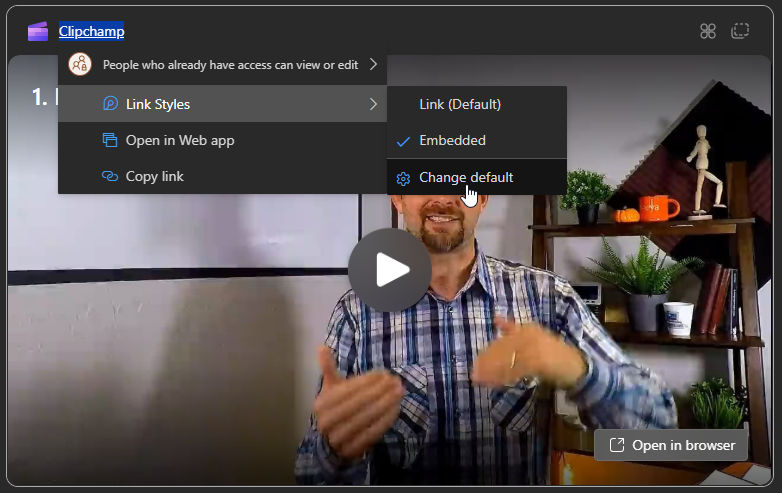
- Right Click on the "Clipchamp" link, go to Link Styles > Change Default
- Scroll down to the "Link Style" section (this can also be found under Settings > Mail > Compose and reply) and select "As a link" instead of "As a Loop component"
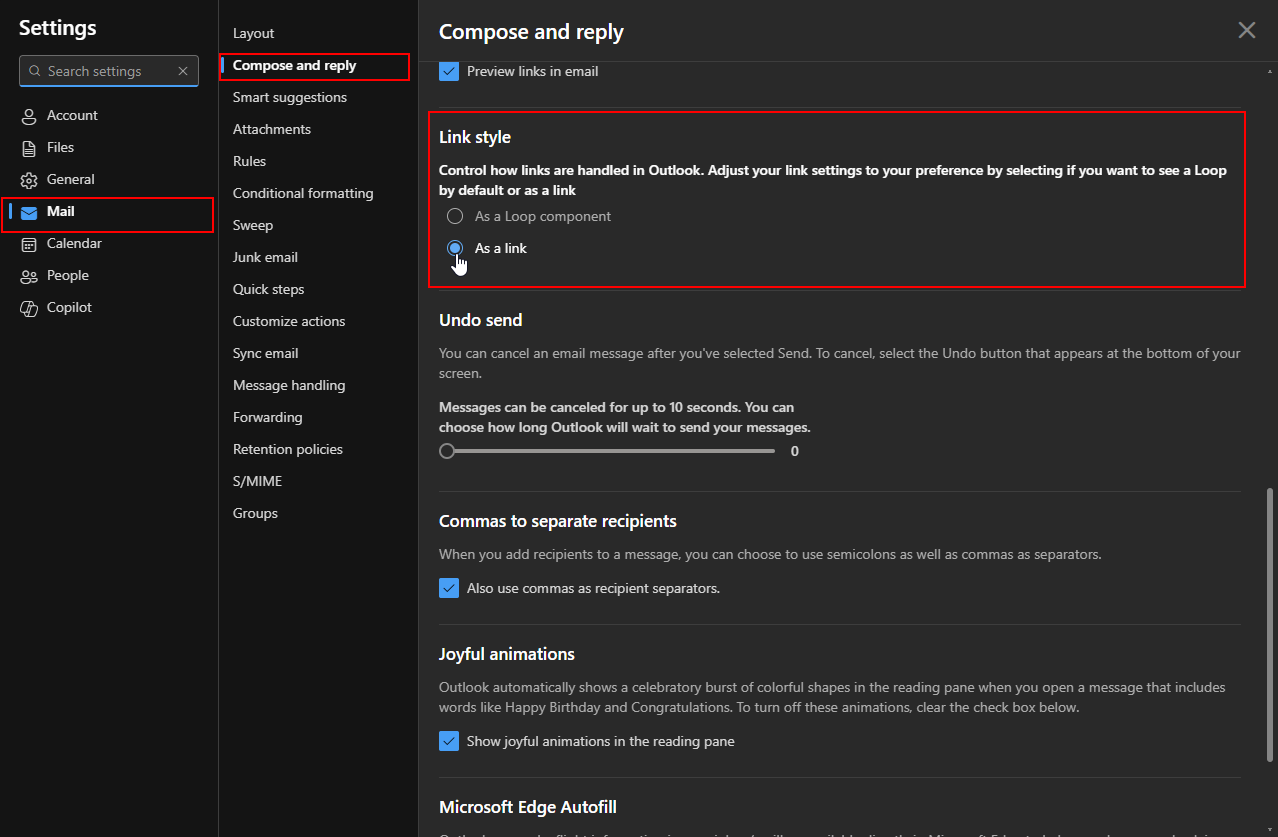
- Save your changes
After doing this, Links to videos will no longer create an embedded video in the email.