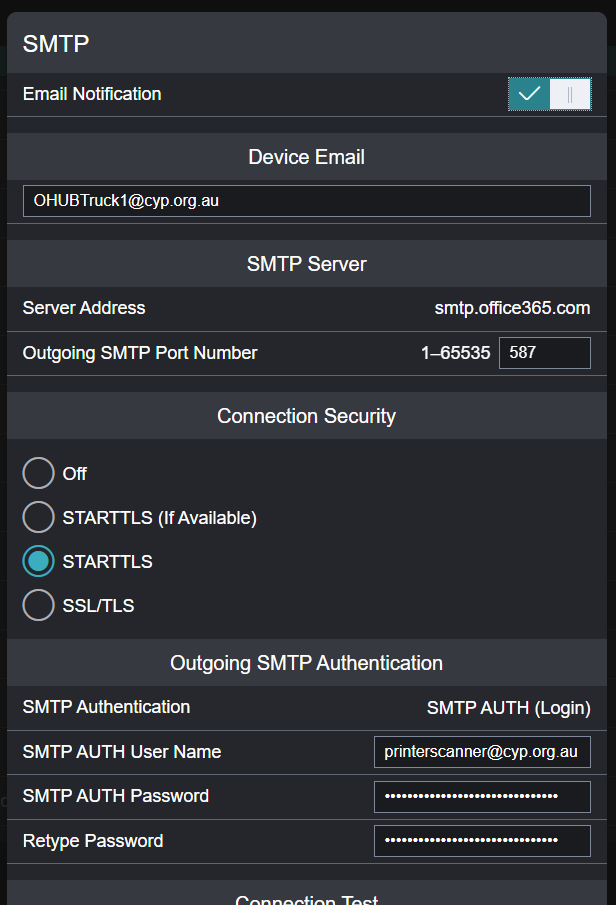
Use below settings.
Things to note..
- Ensure that the "Device Email" is added to the scannerprinter@cyp.org.au alias / email name list, otherwise authentication will fail.
- printerscanner@cyp.org.au credentials are in keepass.

Modified on: Thu, 4 Dec, 2025 at 11:50 AM
Use below settings.
Things to note..
Did you find it helpful? Yes No
Send feedback